Connect your DUCO Silent/Focus/Energy box to KNX!
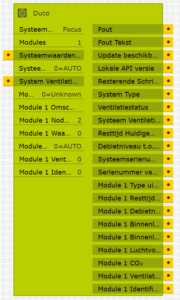
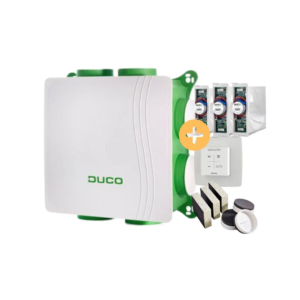
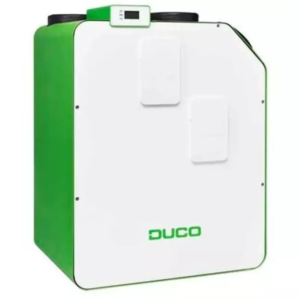
Using this logic node, you can connect your Duco device to KNX.
Read values like CO2/temperature/RH or when you need to change the filter.
Set 30min extra ventilation time in the bathroom. Let the box go into ‘standby’ mode when nobody is at home (central-off) or let the ‘toilet’ channel go to Ventilation Step2 when somebody is at the toilet (and the light at the toilets swiches on).
Use your own (knx) switches instead of the Duco standard switches and show all values on your touchscreen.
Using this logic node, you can not only control the Duco boxes, but also all connected devices like weatherstations, external valves, electronic window ventilators and relais.
It’s almost Plug & Play: It automatically discovers your Duco device, no username/password needed and when the IP of the Duco device changes (DHCP),.. this logic node automatically finds the new IP address.
Download
How it works
- Add the Logic Node to the Gira GPA and add it to a Logic page.
- Go to the webpage of the DUCO box to see the nodes/valves and other modules it has.
- Set the Logic Node to the System Type you have (Silent box, Focus box or Energy box).
- Enter the number of Modules you have connected. For example: 3 modules; the 1st module at Node Address 2 is a CO2 Valve for the living room, the second at Node Address 3 is a Humidity valve for the Bathroom and the 4th is a normal valve at Node Address 4 for the Toilet.
Tip: You can set the name in the comment. (All connected modules and node addresses can be seen at the website of the Duco box).
Now you can define some actions / examples:
- Connect a trigger (ever 30 seconds) to the ‘Read System values’ and display the system values at a touchscreen or read the CO2 (ppm) of the living room every minute.
- Connect the Toilet Ventilation Mode to the lightswitch of the toilet, to give it a boost when the toilet is being used.
Release Notes
0.0.000376 (26-02-2026)
- Fix: small fixes
0.0.000375 (12-02-2026)
- Fix: When Device Type: Any or Energy, could not upload to X1/L1 because of SupplyTempInput Ports.
0.0.000374 (02-02-2026)
- Finally an Inital Release
Having trouble configuring this logic node? We offer free support for configuring the Gira X1/L1 with a DUCO box!
Please email: [email protected] or give us a call at +31628774626.
The module uses mDNS to discover the DUCO box. If this doesn’t work on your network (because of mixed lan/wifi or vlans), use a fixed IP address instead.